Internal Storage
To mount internal storage you just need to run two commands.
Termux Session
- First open new Termux session (Swipe from left corner to right) and type:
termux-setup-storageNow it will ask you for Storage permission. Allow the Storage permission.
Open Start File
- Once you are done with it type:
nano start-(distroname).sh⚠️
Make sure to replace (distroname) with your specific distro name.
Search
Now search for line:
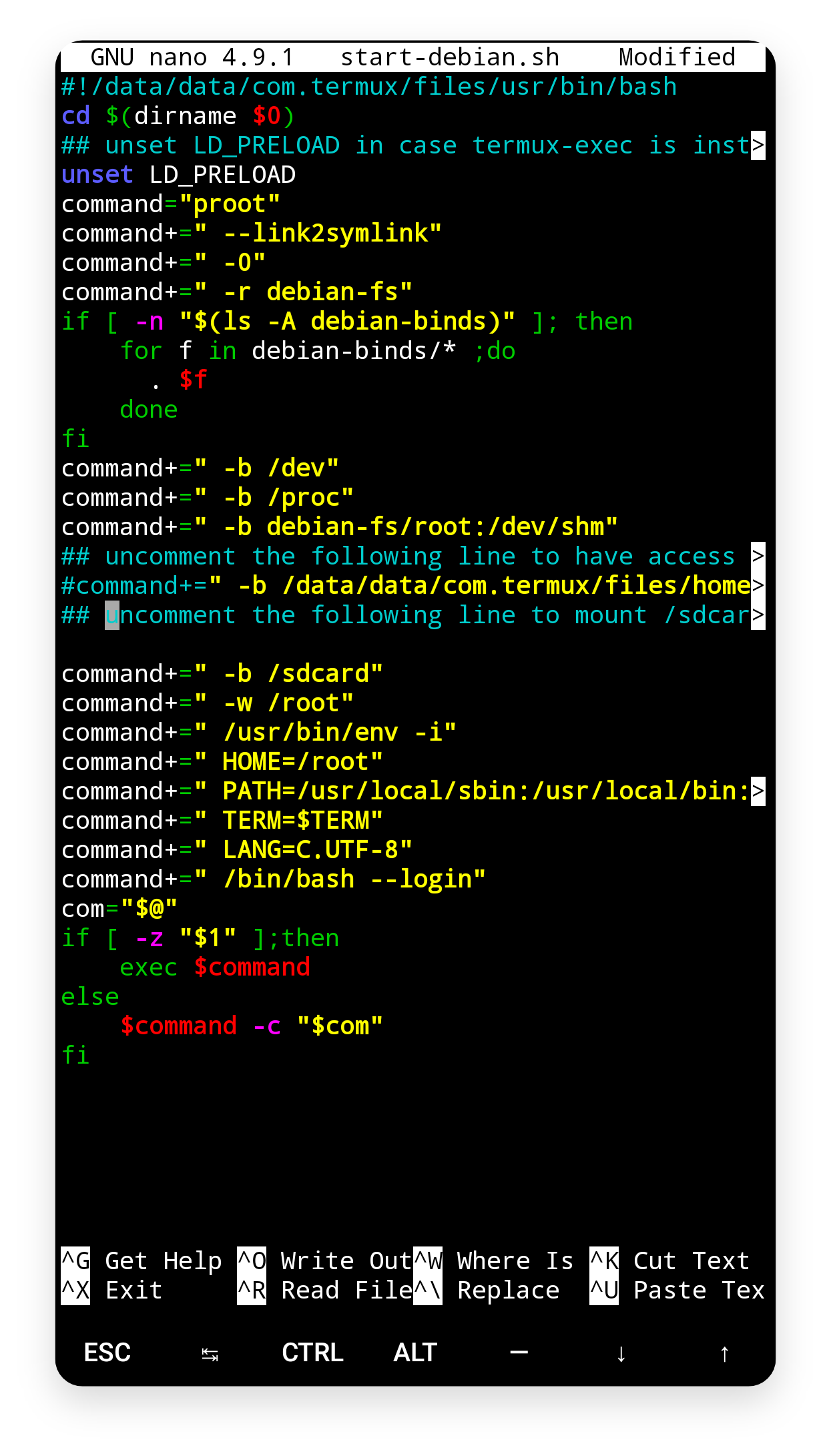
#command+=" -b /sdcard"Edit
If you find this line, then remove it and change it to
command+=" -b /sdcard"Add the line
If you don't find the line then add the above mentioned line as shown in the screenshot below.
Save
Once you are done with it press Ctrl+X and then press Y and then Enter. Now start your linux system and do
cd / . Now you will be able to see a folder sdcard which means you have successfully mounted your Internal
Storage.